
Make your call.
Choose the pitch type and tap a location on the grid. Balls, strikes, outs, runners, and Send stay on the same screen, with no scrolling between calls.
THE PITCHCALL APP
Pick the pitch. Choose the spot. Send the call. Pitchcall keeps the choices you make between pitches together, so you can keep your attention on your players.

Try 30 pitch calls free on this device. Requires iOS or iPadOS 26.5 or later. Compatible watches are purchased separately.
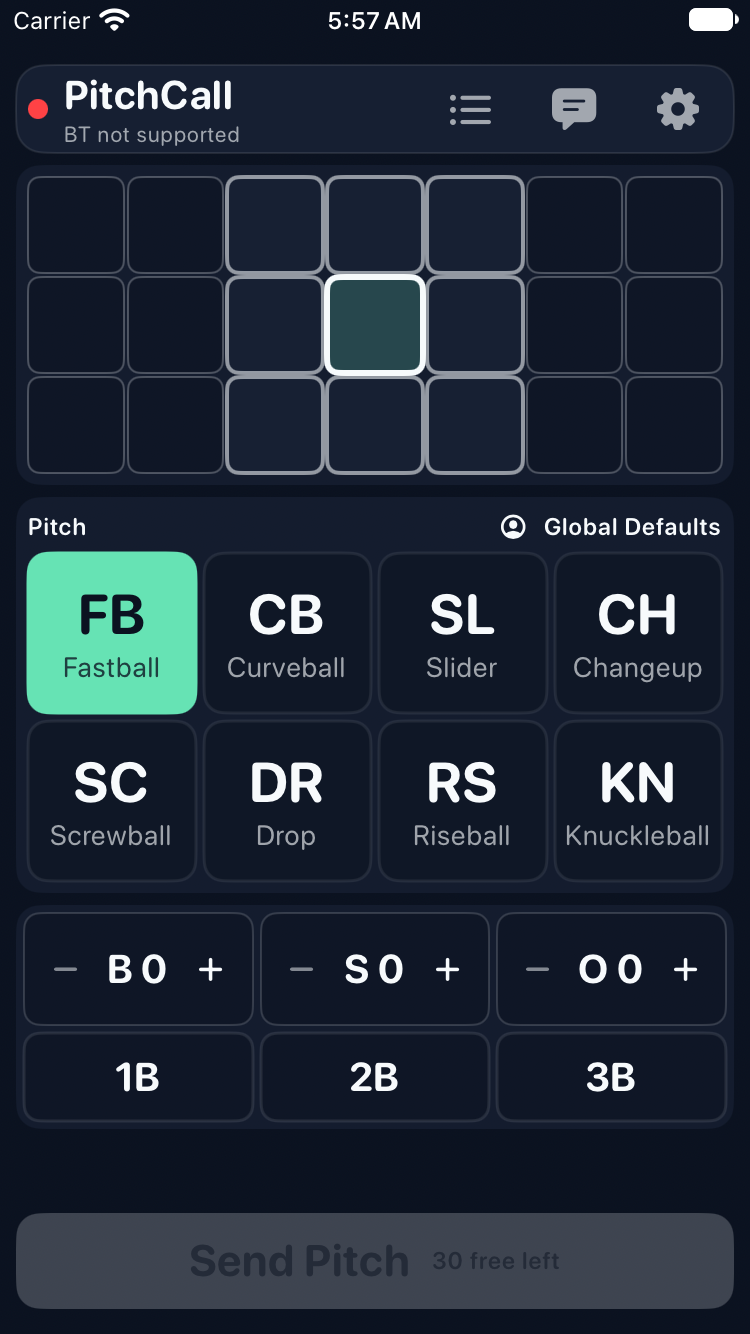
Current build · iPhone SE simulator · no watches connected
BUILT AROUND THE NEXT PITCH
Choose the pitch type and tap a location on the grid. Balls, strikes, outs, runners, and Send stay on the same screen, with no scrolling between calls.
Send a short message to your team’s watches. Save the messages you use often as quick tags for a faster next time.
Review your quick-call pitch history during a practice or bullpen session, without setting up a full game.
Adjust colors, pitch buttons, and the caller layout. The grid fits its rows and columns, and enabled pitch buttons arrange into balanced rows.
With a compatible Bluetooth radar and its companion app, bring speed readings into your pitch review.
Open Settings → Watches to see the relay and receiving watches together, check their information, and install available watch updates.
A REAL LOOK AT THE APP
These simulator captures show the current caller build. Location, pitch choices, situation controls, and Send stay visible together on iPhone SE and iPad. Watch checks are in Settings, outside the calling screen. Neither capture demonstrates a live watch connection.
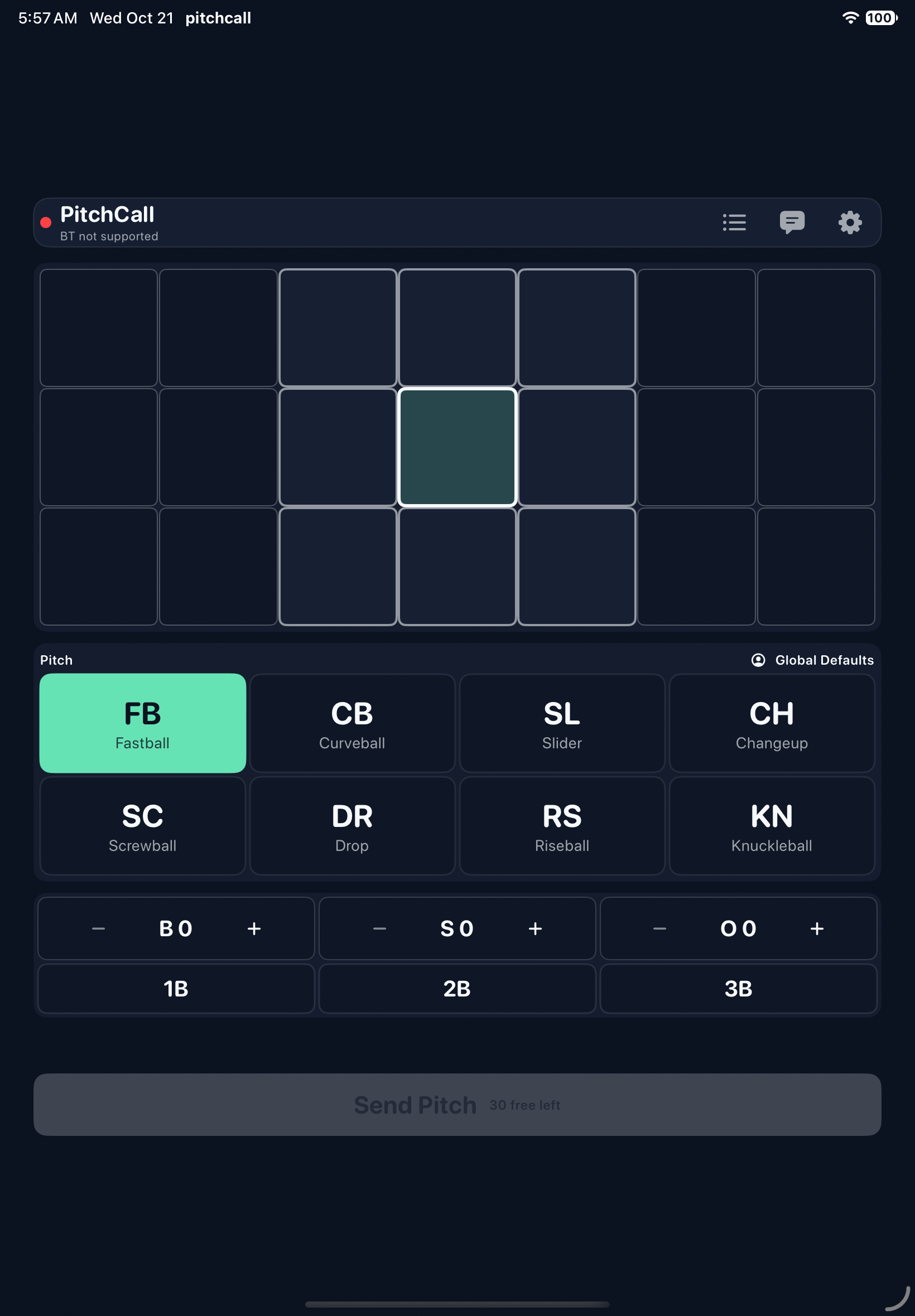
Captured in a simulator without connected watches. That’s why these screenshots show “BT not supported” and an inactive Send Pitch button. Watch calling uses Bluetooth on a real device.
APP ACCESS
Try 30 pitch calls free on this device. This one-time allowance does not renew. Subscribe to Pitchcall Pro for unlimited pitches; settings, setup, and history stay accessible after the allowance runs out. Plans, prices, and any Apple trial eligibility are shown before purchase. Apple handles subscription billing and management.
Watch and radar features need compatible hardware, purchased separately. Our goal is to keep pitch calling within reach, with clear choices about the app and equipment your team needs.
Download PitchcallA PLACE FOR YOUR TEAM
Explore the app, choose compatible watches, and take setup one step at a time. We’re here to help.