
Find your watches.
Choose a LILYGO T-Watch S3 in 2.4 GHz or 915 MHz. T-Watch Ultra 915 MHz support is coming soon. Every team watch must use the same frequency: 2.4 GHz and 915 MHz watches cannot work together.
Explore compatible watches ↗Community at the heart. Softball on the mind.
Good communication should belong to every team. Pitchcall gives your team a more affordable way to call pitches, with an iPhone app, open hardware, and a community that cares about the game.

Try 30 pitch calls free on this device. Subscribe for unlimited pitches. Compatible watches are purchased separately.
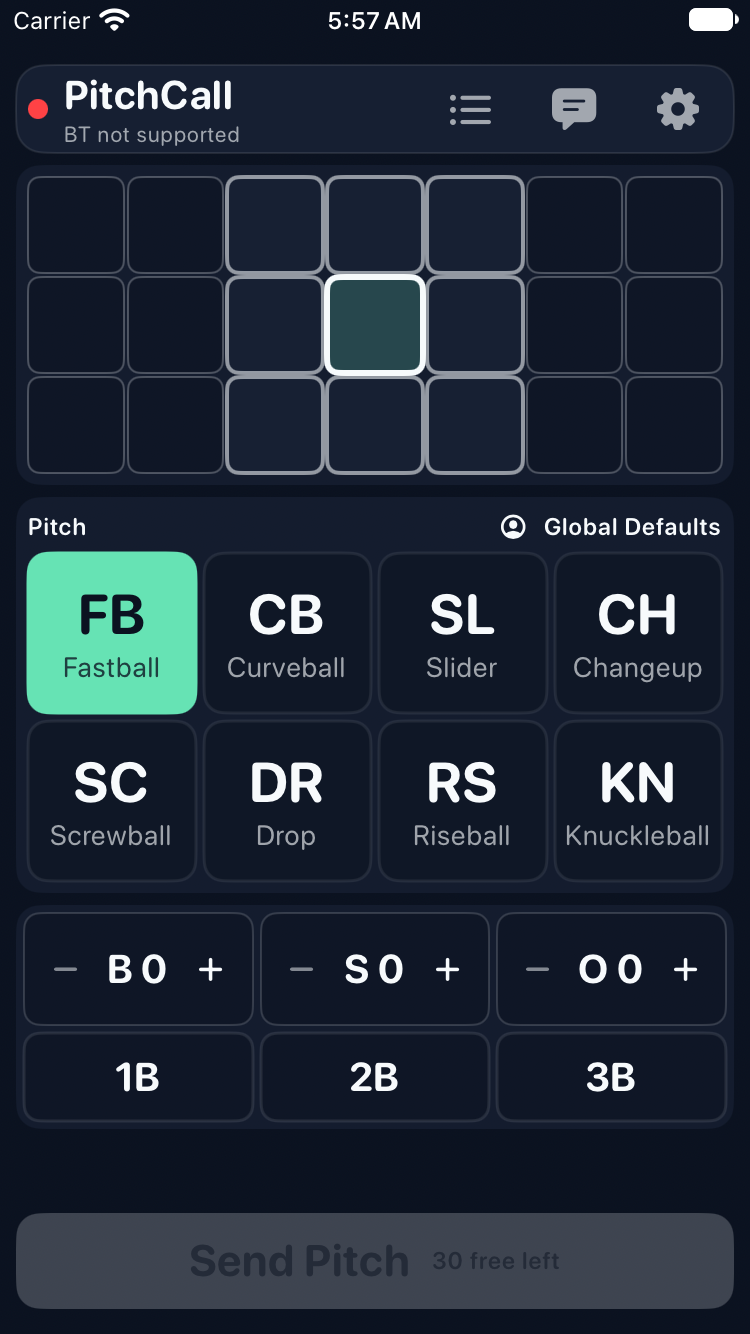
Simulator caller · illustrated watch · no connected hardware
THE REASON WE STARTED
Every team deserves a clear way to communicate. That belief is why Pitchcall uses open hardware platforms to turn readily available watches into inexpensive pitch-calling devices.
We want coaches, players, parents, and makers to help shape what comes next. Tell us what works at your field. Share what could be easier. Help another team take its first step.
Meet the idea behind PitchcallFROM YOUR HAND TO THE FIELD
Choose a pitch and a spot on your iPhone. A watch beside you passes the call to your team’s watches. Players feel a buzz, glance at the display, and get ready.
Pitch calls and messages go from coach to players. Players don’t need their own phones or to send a reply.
A simple look at how it worksTHE APP IN YOUR HAND
Pitch choices, location, and situation controls stay together in the caller. Scroll for more controls on smaller screens. Send a call, share a short message, or look back at the pitches you’ve called.
TAKE THE NEXT STEP
Choose a LILYGO T-Watch S3 in 2.4 GHz or 915 MHz. T-Watch Ultra 915 MHz support is coming soon. Every team watch must use the same frequency: 2.4 GHz and 915 MHz watches cannot work together.
Explore compatible watches ↗Plug a watch into your computer and follow our guided installer. No coding needed.
Set up your watches ↗A useful idea, a question from practice, a suggestion from a player—there’s a place for it here.
Be part of the effort ↗Pitchcall + Flight43 · Built around every pitch
Two companion tools from the same team, with one idea: make useful softball technology more accessible to every coach and player.
On the field · Pitch calling
Keep the team on the same page. Call pitches from your iPhone to compatible watches, with affordable open hardware and a community that cares about the game.
Available now on the App Store · Compatible watches sold separately
Download PitchcallIn the bullpen · Flight analysis
See more of every pitch. Bring high-speed iPhone video and physics-based analysis to 43-foot softball pitching, from release to plate.
In development for iPhone
Explore Flight43A PLACE FOR YOUR TEAM
Explore the app, choose compatible watches, and take setup one step at a time. We’re here to help.